
ASO.dev vs FoxData: which to choose in 2026
FoxData helps you choose a market and product hypothesis using competitor download and revenue estimates, audience and retention data, and review themes. In ASO.dev, we connect App Store research with the work that follows: keywords, localization, images, replies, and publishing. For a portfolio specialist, the choice depends on the data you need and where you prepare store changes.
By the ASO.dev team. Plans and capabilities checked on August 2, 2026; our advertising-system data on August 7.
| Your task | A good fit |
|---|---|
| Research a broad set of keywords and competitors | ASO.dev. Core research does not cost more for each added object |
| Roll out a hypothesis across 50 localizations | ASO.dev. Metadata, images, and store-console operations |
| Evaluate a niche and estimated competitor revenue | FoxData. Modeled estimates and market breakdowns |
| Understand audiences, retention, and review themes | FoxData. Ready-made datasets and dashboards |
| Manage 10 apps as one specialist | Depends. ASO.dev Pro: $828/year for portfolio work; FoxData Standard: $602/year for 500 tracked keywords |
| Turn a market signal into changes across a portfolio | Both. ASO.dev for validation and implementation; FoxData for the market decision |
The main difference
Section titled “The main difference”FoxData combines ASO Intelligence for store research, Ad Intelligence for advertising, and a separate API for programmatic access. Market estimates, audience data, and review analytics help choose a niche, country, or product direction. The modules are separate purchases.
In ASO.dev, the subscription is built around the specialist. Apps, keyword lists, and manually added competitors can expand without per-object charges. Automated tasks, monitoring, and history retain their own limits.
The ASO.dev workspace includes 19 specialized ASO tools, plus Tasks, Subscriptions, and Notifications.
You can apply prepared changes through our App Store Connect editor and Google Play Console editor.
Where FoxData is stronger
Section titled “Where FoxData is stronger”- Choosing a market. Teams compare categories, regions, apps, and developers through modeled downloads and revenue, market segmentation, and featuring history. These are inputs for prioritization, not a competitor’s actual financial reports.
- Understanding audiences. App, Game, Developer, and Regional IQ, active users, retention, and demographics help test whether a segment fits the product. Dataset access and history depend on the module and plan.
- Researching both stores. Keyword Explore covers the App Store and Google Play, combining search volume, difficulty, opportunity, correlation, and install estimates. ASO.dev’s broad keyword research currently focuses on the App Store.
- Ready-made review analytics. Sentiment, topics, User Profile, and AI summaries provide an overview without building your own analytics dashboard. ASO.dev has fewer ready-made reputation dashboards and reply templates.
- API access and team analytics. A separate REST API supplies iOS and Android data, while dashboards, exports, alerts, collaboration, and ISO 27001 certification support research teams. API Solutions, Ad Intelligence, and ASO Intelligence are separate purchases.
Where ASO.dev is stronger
Section titled “Where ASO.dev is stronger”- Expand research without buying slots. Our main subscription unit is the specialist: apps, keyword lists, and manual competitor research are not priced individually. The workspace combines 19 specialized ASO tools with Tasks, Subscriptions, and Notifications; automation and history retain their own limits.
- Give AI a large working dataset. In our desktop client, discovered keywords open in one table. On Pro and above, app analysis and intersection results can be exported to Excel, including 20,000+ rows. You do not have to assemble a file page by page or spend API credits per row; individual report limits still apply.
- Roll out an idea across localizations. Bulk Editor works with 50 supported App Store localizations, and our Figma plugin connects copy with layouts. Prepare images, dedicated pages, and experiments, then take the assets to App Store Connect—with team review and an explicit submission step.
- Reply from your working app. In App Store Reviews and Google Play Reviews, you can prepare single or batch AI replies and submit them using your own store credentials. You choose the AI provider and when to start the batch.
- Start research from a creative. Apple Ads Insights lets you move from an observed ad to related queries, then to your own localized page and experiment. A selected creative or page can return up to 5,000 related queries. This is placement context, not conversion measurement, and it requires Marketing.
Pricing for 10 apps
Section titled “Pricing for 10 apps”For one specialist managing 10 apps, we usually recommend ASO.dev Pro: $828 per year, equivalent to $69 per month with annual billing. The reason is the professional feature set, not an app-count limit.
A portfolio needs exports, extended history, App Clash, Changelog, and custom product pages. These tools help compare options and evaluate the next release.
An owner working on their own apps may be comfortable with ASO.dev Startup at $348 per year if 30 days of history are enough and exports and professional page workflows are unnecessary. If Apple Ads is central to your work, choose our Marketing plan: Pro does not include advertising intelligence.
Total cost of ownership, or TCO, depends on the apps, keywords, countries, modules, and seats the team needs. Below are the plans checked on August 2, 2026, followed by two workload calculations.
FoxData plans
Section titled “FoxData plans”| Plan | Monthly | Annual | Capacity and history |
|---|---|---|---|
| Starter | $9.90 | $8.42/month equivalent | 1 seat; 3 apps; 90 keywords; 10 competitors; 3 months |
| Standard | $59 | $602 | 1 seat; 10 apps; 500 keywords; 50 competitors; 6 months |
| Growth | $159 | $1,622 | 3 seats; 20 apps; 1,500 keywords; 200 competitors; 12 months |
| Enterprise | Custom | Custom | Custom limits and all-time history |
Starter offers a seven-day trial. Standard adds dashboards, exports, alerts, and review analytics; Growth adds download and revenue estimates, market intelligence, and 15 AI review summaries per month. Confirm Enterprise’s scope if you need advanced IQ, audiences, or retention: its exact limits remain unknown.
ASO.dev plans
Section titled “ASO.dev plans”Prices are per team member. Apps, core keyword lists, and manually researched competitors are not separate billable objects.
| Plan | Monthly | Annual | Intended work |
|---|---|---|---|
| Startup | $39 | $348 — $29/month equivalent | Your own apps, 30 days of history; no exports or custom product pages |
| Pro | $89 | $828 — $69/month equivalent | Extended history, exports, comparisons, and custom product pages |
| Marketing | $199 | $1,788 — $149/month equivalent | Everything in Pro plus Apple Ads Insights |
Startup excludes some professional workflows. Pro is the baseline for our scenario involving localizations, images, and experiments; additional specialists need additional seats.
| Workload, one specialist | ASO.dev | FoxData |
|---|---|---|
| Light: 10 × 50 = 500 pairs | Pro: $89/month or $828/year for the full workflow; Startup at $348/year is the lower bound | Standard nominally fits 10 apps, 500 keywords, and 50 competitors: $59/month or $602/year |
| Full: 10 × 200 = 2,000 pairs | Pro: $828/year for one seat; apps, core keyword lists, and manual competitors do not increase the price | Growth at $159/month or $1,622/year is capped at 1,500 keywords; choose Enterprise or cut at least 500 pairs |
How we calculated the cost
- Scenario: one specialist, 10 apps, up to five storefronts per app, five competitors, monthly updates, and quarterly review and creative analysis.
- The light workload contains 500 app-keyword pairs. FoxData Standard nominally fits the app, keyword, and competitor counts, but does not replace Growth when you need modeled estimates and market intelligence. FoxData states a 15% annual discount: Standard displays $50.17/month and Growth $135.17/month, with annual payments rounded to $602 and $1,622.
- The full workload contains 2,000 pairs before any multiplication by country or store. FoxData Growth’s 1,500-keyword limit does not cover even those base 2,000 pairs.
- ASO.dev Pro is priced per specialist. At $828/year, a portfolio of 10 apps works out to about $6.90 per app per month. This is an illustration, not a per-app unit price.
- Additional specialists in ASO.dev need additional seats. If Apple Ads is the main task, choose Marketing; do not add a separate Pro subscription to it.
We do not want specialists to decide, before researching, whether the 501st keyword or 11th app deserves a plan slot. ASO.dev’s main subscription unit is the person, not a row of data. You can narrow a broad sample after analysis rather than before it.
In ASO.dev, Tasks, Subscriptions, advertising visibility monitoring, API calls, and individual automated reports have quotas for frequency and computation. Features and history depth depend on the plan.
From signal to release
Section titled “From signal to release”Consider a modeled workflow: one specialist manages 10 apps, up to five storefronts and five competitors per app. Metadata and releases are updated monthly; review themes, product changes, and visual experiments are revisited quarterly.
Choose a market opportunity
In FoxData, the team compares categories, modeled downloads and revenue, app, game, and regional research, audiences, and retention. Keyword Explore adds Search Volume, Opportunity, Difficulty, Correlation, and Install Estimate, plus category and long-tail discovery, AI recommendations, and Keyword DNA.
FoxData’s Live Search shows current App Store or Google Play results, while keyword history reveals changing demand. These signals help select a hypothesis to test against your own product.
Check competitors and reviews
In ASO.dev, the specialist expands the set with Keyword Explorer and Competitor Keywords, then checks app intersections and listing changes.
For a ready-made overview of review themes and sentiment, the team uses FoxData. To examine themes with their chosen AI model, they export reviews by country from ASO.dev.
The team uses the findings to choose a product change and a message for the listing. A person validates the product hypothesis.
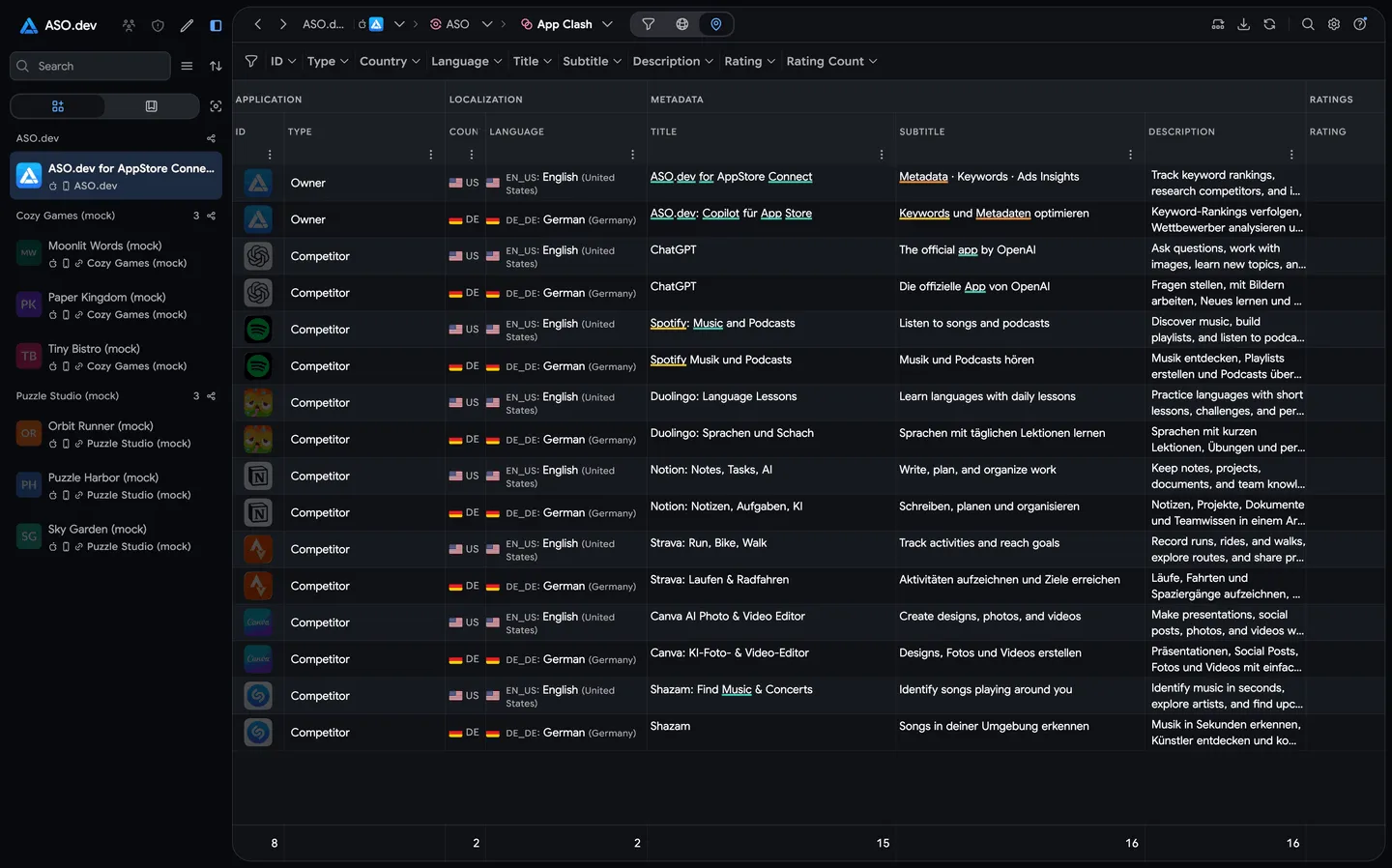
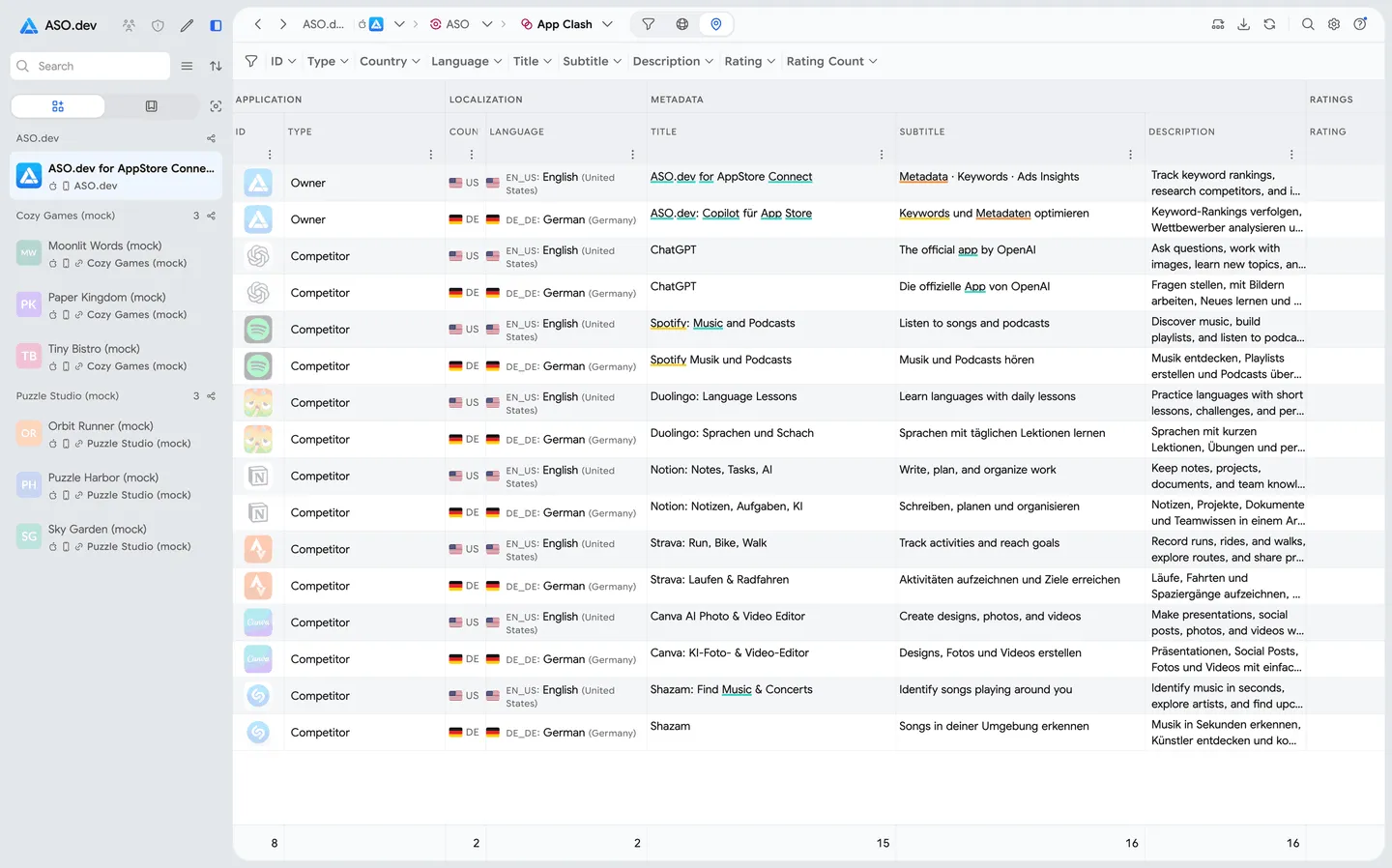
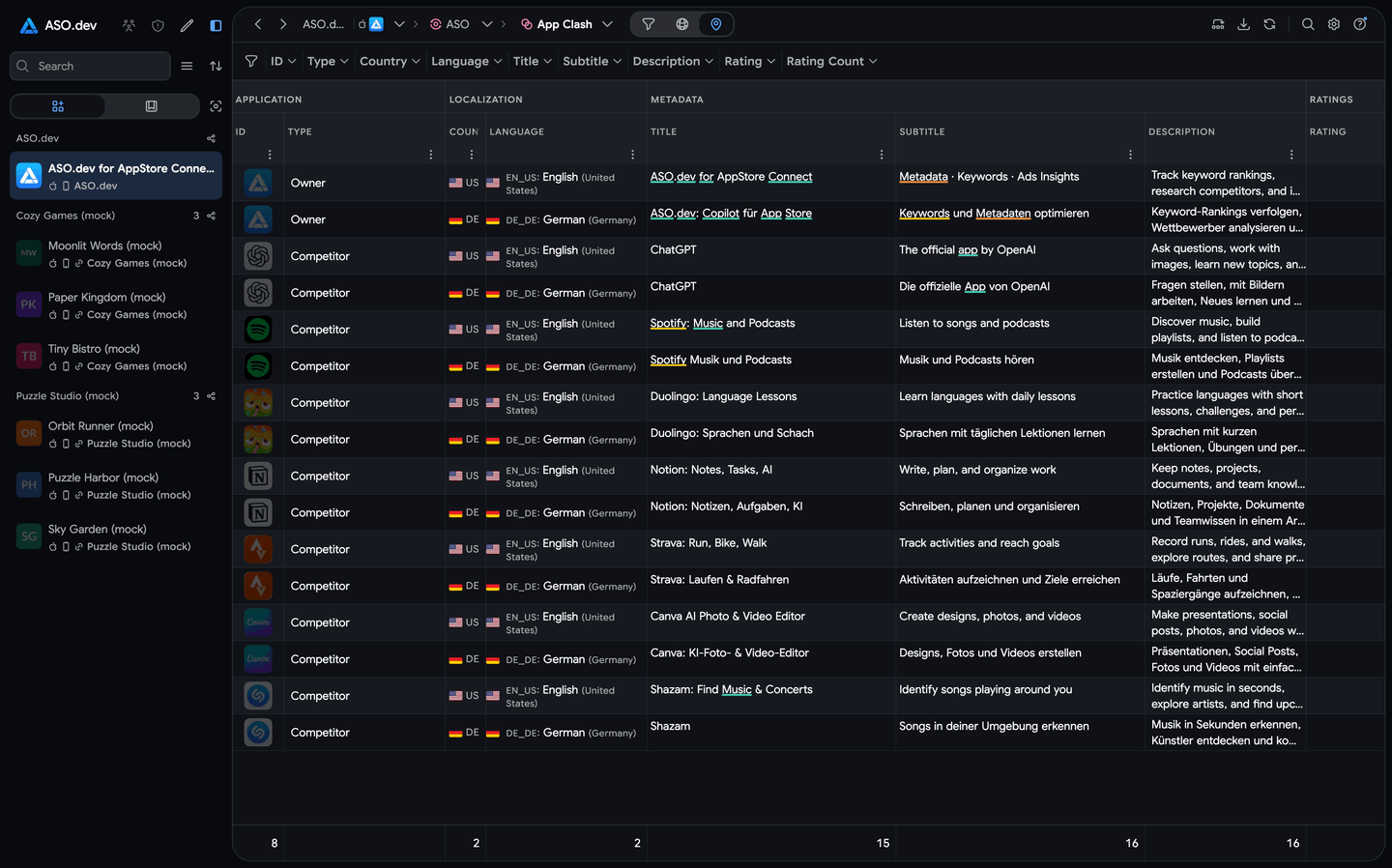
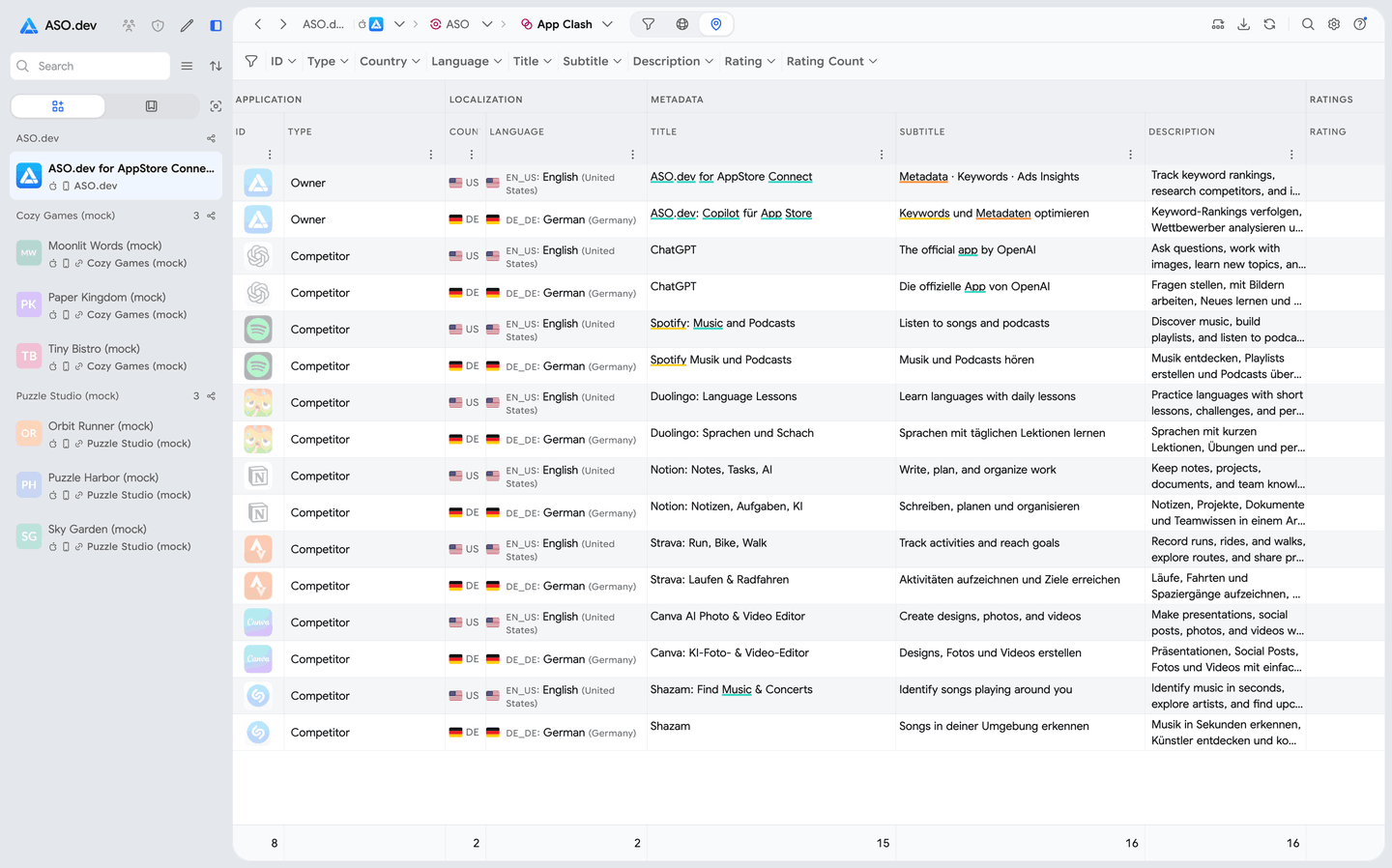
Competitor metadata across localizations in one view: find gaps and compare how apps describe their value.
Prepare copy and images
In ASO.dev, Cross-localization and Bulk Editor help translate, edit, and validate metadata for up to 50 supported App Store localizations. Our free Figma plugin takes translations into layouts, while folder import sorts images and videos by locale and device, validates files, and lets you retry failed uploads.
Custom Product Pages (CPP) and Product Page Optimization (PPO) use the same asset-preparation process as the main listing.
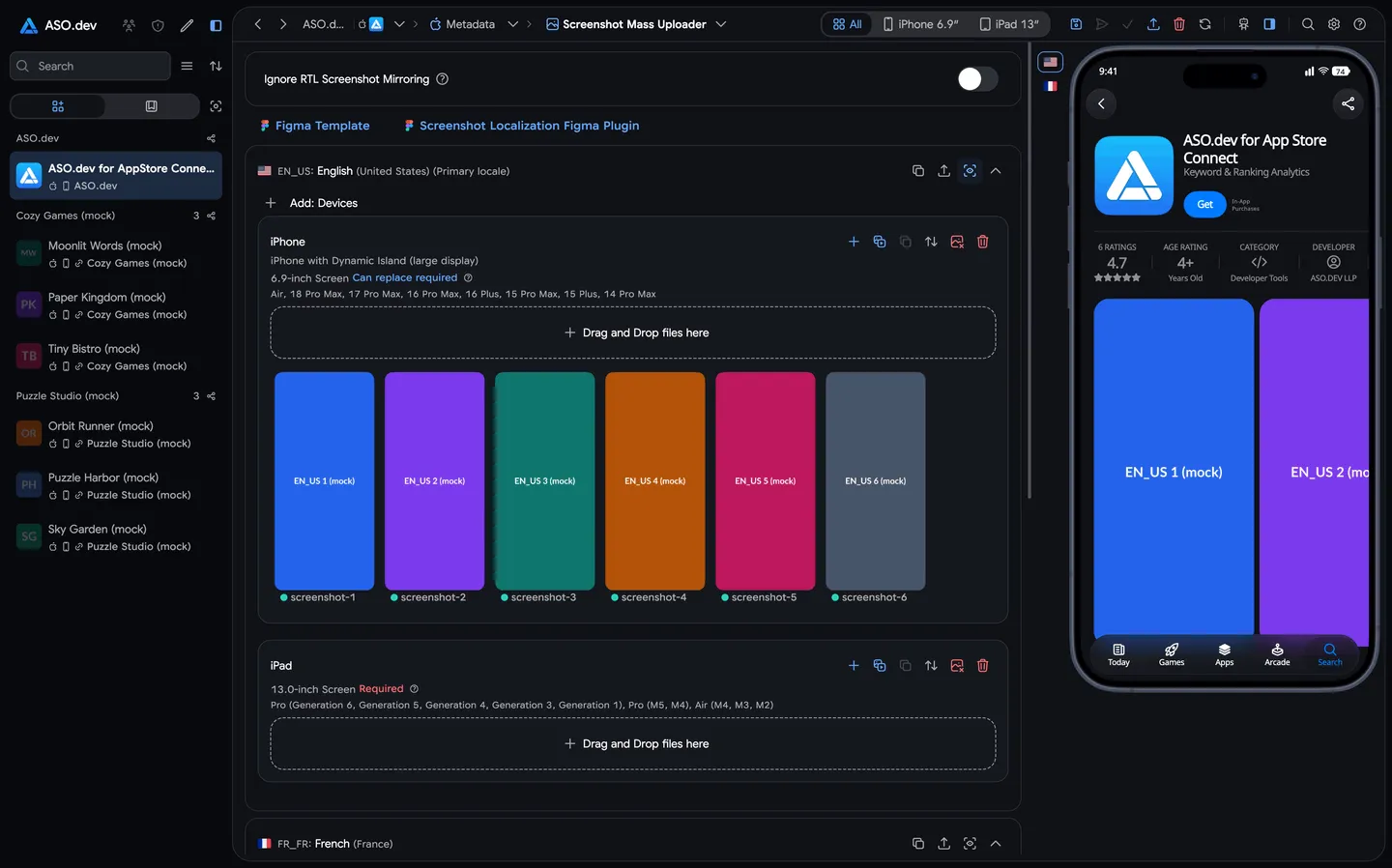
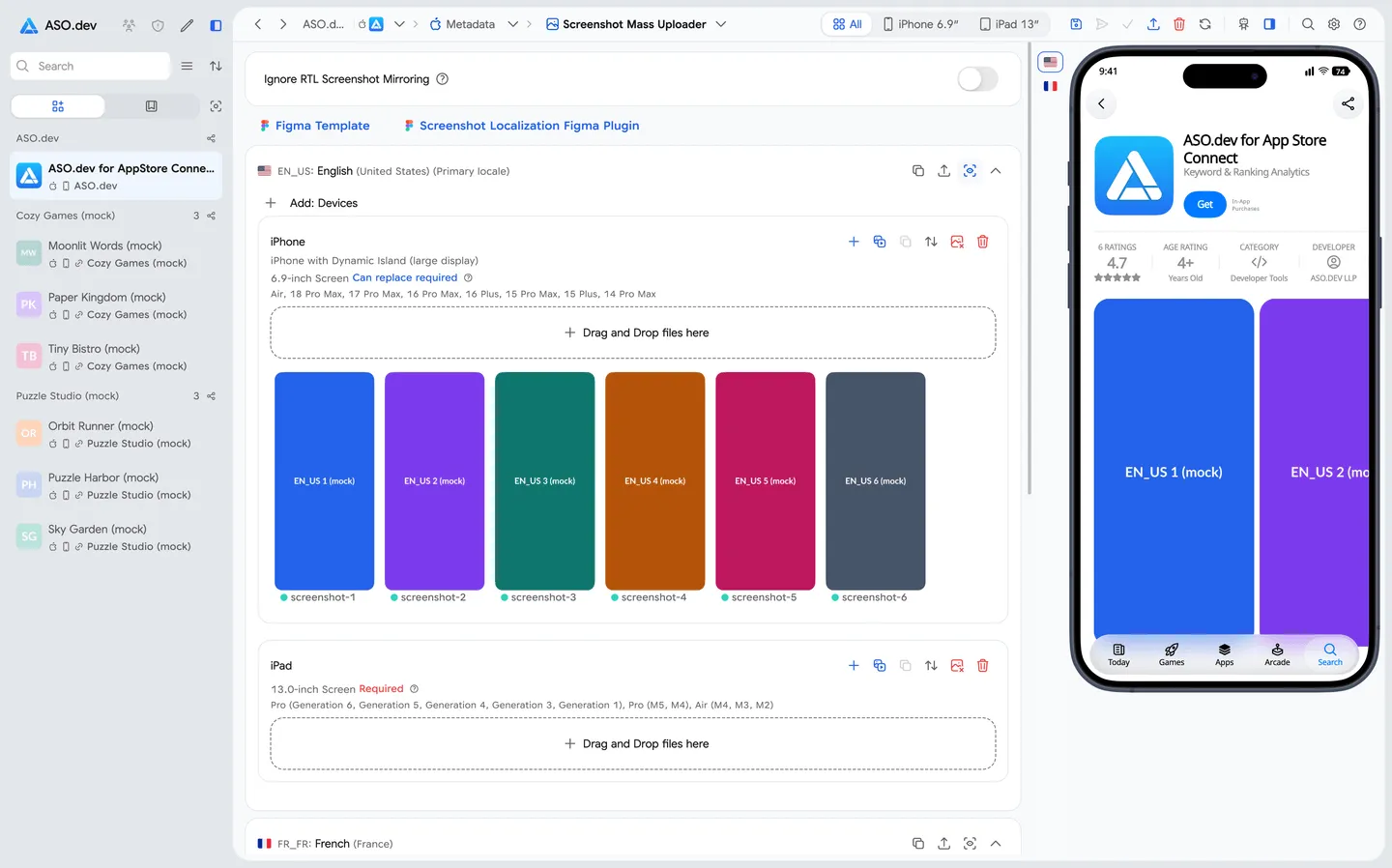
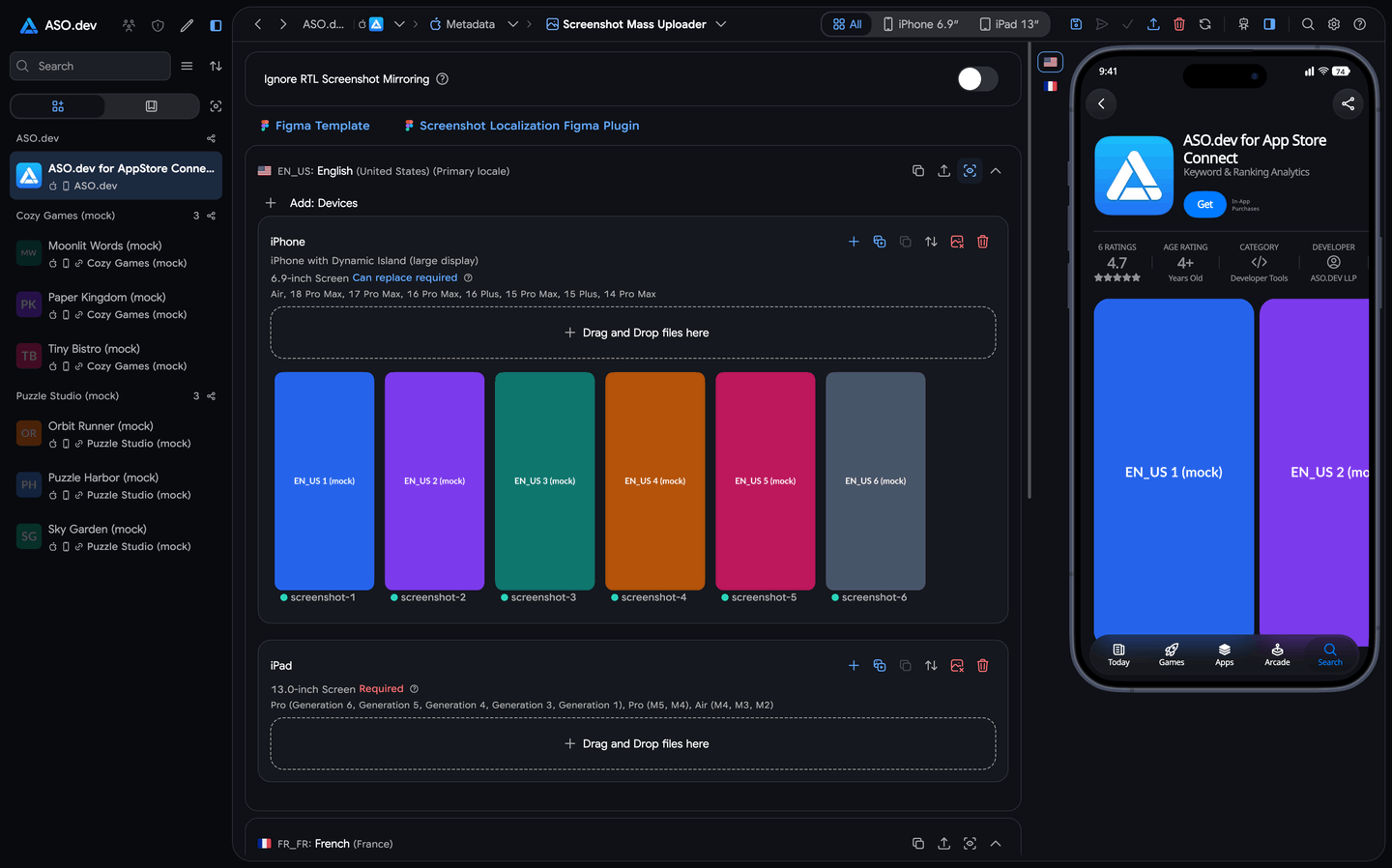
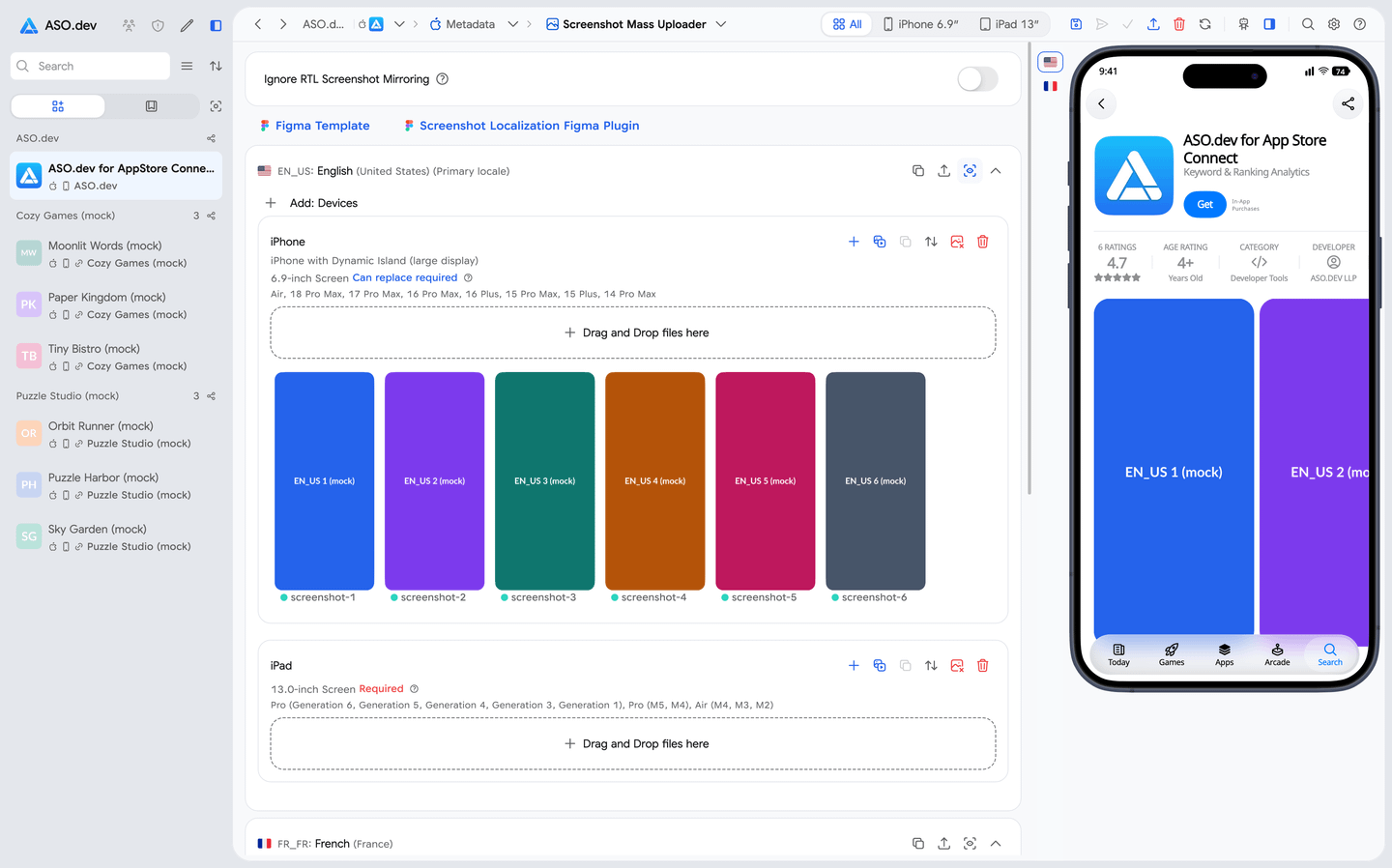
Localized images are organized by device and ready to check before submission to App Store Connect.
Publish and evaluate
In ASO.dev, the team saves changes and submits them for review in App Store Connect. Our CPP management supports copying localizations, images, and promotional text between pages and uploading in bulk; Apple allows up to 70 such pages. PPO management supports up to three treatments with localized images or video.
After release, the specialist compares rankings, conversion, and their own revenue with the changes. PPO uses an approved app version; icon variants must already be included in the binary. A release coinciding with growth is a reason to investigate the hypothesis, not proof of its cause.
One-click ASO.dev Tasks find the initial competitor set and organic keyword candidates. The competitor report returns up to 50 results on Startup and 250 on Pro/Marketing; the organic keyword discovery Task returns up to 20,000 results.
In the main app and keyword tables of our macOS, Windows, and Linux desktop client, the full returned set can be filtered, sorted, selected, and exported without manually assembling 50–100-row pages. Reviews, TestFlight, and external Apple and Google APIs load further pages according to their source.
ASO.dev tools for validation and release preparation
- App Competitors and App Clash show differences and intersections.
- Top by Keyword shows current search results; Changelog records copy and visual changes.
- SAP Detector helps identify widespread changes in Apple Ads popularity.
- App Store tools manage pricing and in-app purchases.
- Subscriptions and Google Play releases are also available.
- Beta testing is handled through TestFlight.
The Figma plugin exports text as JSON or ZIP; translations can come from ASO.dev, external AI, or a translator. Localized frames preserve Auto Layout, Variables, and right-to-left layout. Folder import saves upload progress and lets you retry only the failed portion.
FoxData’s confirmed store-console operations have a different scope: connections for actual downloads and revenue from your own apps and for review replies. Its Metadata Simulator creates and evaluates a proposal. As of August 2, 2026, we had not confirmed direct metadata publishing or a complete flow through bulk localization, CPP/PPO, release, and TestFlight in FoxData’s official documentation.
Reviews: insight and action
Section titled “Reviews: insight and action”For understanding what users say at scale, FoxData offers ready-made sentiment and topic dashboards, User Profile, AI summaries, and AI Quick Reply. ASO.dev has less preconfigured reputation analytics, but connects monitoring, exports, controlled AI replies, and actual submission to the store.
ASO.dev Subscriptions watch an event for an app-country combination. The result stays in Notifications and can arrive by push notification or webhook on Pro/Marketing. The webhook includes counts, a preview, and a link to the full CSV.
ASO.dev’s review interface shows rating, country, reply status, whether the review changed after a reply, and translation. A separate Task exports any app’s reviews from selected countries—up to 175—to CSV for sentiment, topic, and feature-request analysis.
In ASO.dev, an AI assistant can help apply a reply as well as suggest its wording, after your confirmation. Our local AI Companion (MCP) connects your chosen AI to the current ASO.dev screen. MCP stands for Model Context Protocol.
| Review task | ASO.dev | FoxData |
|---|---|---|
| Monitoring | Subscriptions, push, webhook on Pro/Marketing | Alerts; conditions depend on the plan |
| Analysis and export | Filters, translation, CSV, and external AI | Sentiment, topics, profiles, AI summaries |
| Direct replies | App Store and Google Play through UI and MCP | App Store and Google Play after connection |
| AI draft | Your prompt and chosen AI provider | AI Quick Reply and templates |
| Batch replies | User-triggered by date range, status, and rating | Detailed rules and limits unconfirmed |
| Autonomous event reply | No server-side autopilot | Not confirmed by official materials |
| AI access to current context | Local MCP; writes require confirmation | Official MCP unconfirmed |
| Store credentials | On-device; requests go directly to the store | Key/JSON upload; storage not described |
In ASO.dev, single replies and batches use your own key for your chosen AI provider (BYOK): we do not sell separate credits for each reply. After the user starts a batch, it generates and submits replies sequentially to the selected group.
ASO.dev’s local MCP reads the current review or loaded list, filters it, and loads subsequent source pages. It can fill, submit, or edit replies in the App Store and Google Play; reporting a review is supported only for the App Store. Bulk fill prepares drafts, while submitting a specific reply is a separate supported action. Every write requires explicit confirmApply=true after user approval.
Permissions needed to reply
For the App Store, an individual key needs the Customer Support role; a team key needs Admin. A Google Play service account needs View app information (read-only) and Reply to reviews permissions.
For a full-archive analysis from ASO.dev, use CSV or Excel and your chosen AI model. Our MCP works with the active screen and loaded context; the team validates themes and then applies replies to specific reviews.
Apple Ads data
Section titled “Apple Ads data”After spotting a competitor’s ad, you can investigate its related queries and choose an idea for your own page. ASO.dev Marketing and FoxData Ad Intelligence answer some of the same competitive questions. In ASO.dev, you can go both ways: from a keyword to advertisers, creatives, and custom pages, or from an app to its advertising keywords and assets.
| Question | What ASO.dev shows | Important boundary |
|---|---|---|
| Who advertises for a query? | Ads 1 and Ads 2, advertiser, creative, or custom page | Ads 2 is the second ad slot and third overall position, not all Apple Ads placements |
| Where did an observed creative appear? | Up to 5,000 related queries for a selected creative or page | Placement context, not conversion attribution |
| How did ad visibility change? | History and last-check timestamp | Our check time is not the moment Apple changed its data |
| How often is a selected list checked? | About every seven minutes | One Marketing subscription: 200 keyword-country combinations |
| What is covered automatically? | About 45,000 queries with average Search Ads Popularity (SAP) 60+ | A separate process; no seven-minute promise for the whole pool |
According to ASO.dev data as of August 7, 2026, our system performs about 160 million search-query checks per day. This counts checks, not 160 million unique query texts. ASO.dev Live Search and user observations of advertising share of voice are excluded.
Ads by Keyword and Ads by App show related keywords, advertisers, creatives, and custom product pages.
Share of Voice (SOV) stores history for selected keyword-country combinations. Alongside SAP history and check timestamps, it helps distinguish changes in an app’s visibility from movement in the popularity metric itself.
FoxData Ad Intelligence and ASO.dev Marketing overlap in keywords, advertisers, creatives, and custom pages. A comparable official daily FoxData metric and shared coverage methodology are unknown, so this count cannot establish which product has greater coverage.
Data for your automation
Section titled “Data for your automation”You do not need a technical specialist for ordinary research in ASO.dev. Export a large dataset to Excel, analyze it in Codex, ChatGPT, or Claude, review the conclusions, and apply them in our editor. A server API is needed when the process must run on a schedule or between systems; we compare both services’ routes below.
| Question | ASO.dev | FoxData |
|---|---|---|
| Official MCP and status | Local alpha under testing: editor and reviews | Could not be confirmed on August 2, 2026 |
| What MCP does | Reads current context; supported actions require confirmation | Unknown; REST API is not MCP |
| Does MCP consume API credits? | No; Developer API is separate | Could not be confirmed |
| 20,000+ keywords for one app | Excel on Pro+; one-click Task separately capped at 20,000 | Conditionally through REST API: up to 500 rows/page |
| 20,000+ rows across apps | App analysis and intersection exports on Pro+ | Raw intersection or gap export unconfirmed |
| Export plan and format | Pro+, Excel; limits depend on the report | API Solutions, JSON, up to 500 rows/page in 1011; UI file cap unknown |
| Machine access | Closed Developer API alpha, credits, and pre-request estimate | Separate REST API, prepaid credits |
| Practical AI route | Excel → external AI → local MCP | REST → JSON pages → external AI |
What FoxData confirms
Section titled “What FoxData confirms”FoxData offers a standalone REST API for iOS and Android data. Small costs $59 for 75,000 credits; Medium costs $199 for 350,000. Credits do not expire, and both packages provide up to 12 months of history. Enterprise offers custom terms and all-time history.
FoxData’s REST API uses JSON and an x-openapi-key. Keyword methods 1011 and 1012 document a limit of five requests per second; responses report the credit cost. Paginated methods return continuation information, and 1011 supplies up to 500 rows per request.
Getting 20,000 rows for one app in one country is therefore conditional: the app must actually have a sufficient totalCount. Your client must fetch at least 40 pages, respect the limits, pay credits, and assemble the file. We could not confirm 20,000+ raw rows across multiple apps or a ready-made intersection and keyword-gap file from the UI in official materials.
Method 1012 expands a set from an app and a keyword, or from one to five competitors, but does not promise a ready-made intersection, union, or gap classification. The app-versus-five-competitors comparison method returns aggregates, not 20,000 raw rows. Tracked-keyword export from the UI is confirmed, but its format and row cap are not officially published.
An official FoxData MCP server was unconfirmed at the verification date. Its status, transport, authentication, tools, quotas, and relationship to API credits remain unknown.
FoxData API pagination and credits
Paginated-method documentation describes next.taskId, next.pageKey, totalCount, and totalPages. The next portion is requested through common/next-page; next: null marks the end of the dataset. Method 1011 supports page sizes of 100, 200, or 500 rows for one app in one region per request.
A response may contain requestCredits, baseCredits, extraCredits, and the total cost. Alongside the five-requests-per-second limit for 1011 and 1012, there are per-minute, daily, and per-key limits; universal values for every account are not publicly stated.
Three ASO.dev routes
Section titled “Three ASO.dev routes”- Large dataset exports. On Pro and above, app analysis and intersections export to Excel without per-row API credits. Depending on the report, a set may contain thousands, tens of thousands, or sometimes hundreds of thousands of rows; individual reports retain their limits.
- Local MCP. It works with the current workspace, metadata, and loaded reviews. It is neither a bulk keyword source nor Developer API, and its actions do not consume Developer API credits.
- Developer API. The closed alpha is available from Pro for scheduled server-to-server processes. Machine requests use credits and a pre-request cost estimate; methods, formulas, and limits can change as we test load, data quality, and pricing mechanics.
Our recommended route avoids an expensive API call per row: Excel export → cleanup, deduplication, clustering, and relevance analysis with external AI → human review → local MCP for metadata, localization, and confirmed actions. Your chosen AI model’s tokens or subscription are paid independently of FoxData or ASO.dev.
MCP connection and Developer API limits
ASO.dev’s local MCP runs on your device at http://localhost:42111. You can enable a local secret and connect an AI client through an HTTP bridge or standard-input/output configuration. This is separate from our Developer API.
The current ASO.dev Developer API alpha confirms app data and metadata, category rankings and charts, reviews, live keyword search, current and historical rankings, popularity, tracking lists, and projects. Limits depend on the method: examples include up to 1,000 app-ranking rows, 10,000 reviews, and 500 chart-method results. Current keyword rankings have separate offset, limit, and pricing rules.
During alpha, we test methods, load, data quality, and billing mechanics. Contracts, formulas, quotas, and prices can change.
When both make sense
Section titled “When both make sense”In our experience, a professional ASO team can use several sources when each supplies a distinct signal. A combined stack is justified only when FoxData’s estimates, audiences, or retention data actually change the decision.
- Keep priority apps, markets, and a short keyword list in FoxData—the minimum scope sufficient for the signal you need. Do not assume the cheapest plan includes those estimates or audiences; check the plan’s features first.
- Export selected hypotheses from FoxData if its plan allows it, or transfer them manually. In ASO.dev, paste keywords into a Keyword List as a comma-separated or line-separated batch, and add competitors to the project.
- ASO.dev becomes the operational hub: apps, competitors, and keywords move into broad tracking, history, Tasks, Subscriptions, localization, reviews, experiments, and the next release.
Transfer selected keywords and competitors as lists; automatic two-way synchronization and import of FoxData’s proprietary metrics have not been confirmed. If market estimates and audience data are unnecessary, ASO.dev alone can be enough.
Common questions
Section titled “Common questions”- Will one ASO.dev subscription cover 10 apps? Yes, for one specialist. Pro suits professional portfolio work; separate automation quotas are listed in the cost calculation.
- What would I lose by switching from FoxData to ASO.dev? ASO.dev has no comparable market estimates, audience, retention, demographic datasets, or ready-made review analytics. Keep FoxData for these data if you need them.
- Does FoxData show actual competitor downloads and revenue? These are modeled estimates. Actual metrics for your own apps are available after connecting your console.
- Can I use both services? Yes: move selected keywords and competitors into ASO.dev for tracking and keep FoxData for market research.
- Do I need a technical specialist for ASO.dev? Our interface covers research, exports, localization, reviews, and publishing. A developer is needed for your own server-side API process.
- Does MCP consume API credits? ASO.dev’s local MCP does not consume Developer API credits; external AI costs are separate. FoxData’s MCP terms remain unknown.
- Can I export 20,000+ keywords? In ASO.dev, on Pro and above, if the report contains that many rows. FoxData has a conditional route through one app’s API pages; the limits are explained above.
What to choose
Section titled “What to choose”- ASO.dev — for research and recurring portfolio work: Pro for the professional workflow, Marketing for Apple Ads.
- FoxData — for evaluating a niche, audience, and product direction with market data.
- Both — when ASO.dev handles ongoing tracking and operations and FoxData’s specialized data serve selected markets.
If ASO.dev is missing a feature your workflow needs, suggest it and vote at feedback.aso.dev, or contact us at hello@aso.dev.
Verification and sources
Section titled “Verification and sources”Official FoxData materials:
- Pricing: Pricing; FoxData New Pricing Plans 2026; Starter Plan 2026; Growth Plan: $159/Month — Complete Guide to Scaling App Growth; Data Policy for Cancellation & Downgrade.
- Keywords and market: Keyword Explore; Tracked Keywords; Keyword Optimization; Welcome to FoxData: Quick Start Guide; My Apps.
- Reviews: AI Review Summary; AI Marketing Tools; App Store Integration; Manage Integrations.
- API: FoxData API Solutions for ASO, Ads & Market Intelligence; Authorization; Pagination; App-Covered Keywords; Expansion; How to Get Started with FoxData API.
ASO.dev materials: pricing, ASO tools, Tasks, Subscriptions, Notifications, reviews, security, metadata, AI Companion, Apple Ads, and Developer API. Relevant documentation is linked where each feature is discussed.