
Google Play Reviews
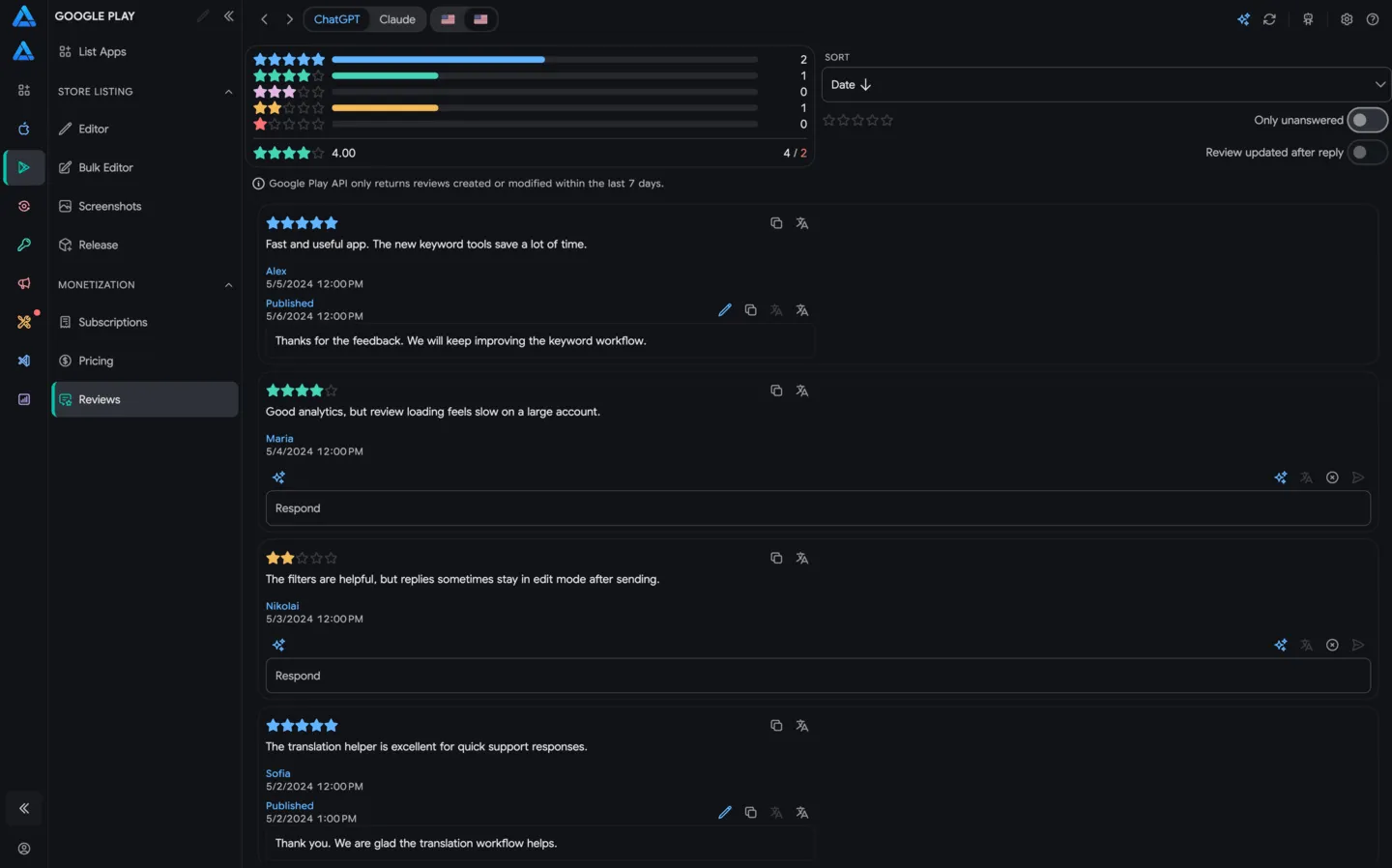
The Google Play Reviews section lets you view user reviews, reply manually or with AI, and prepare replies for multiple reviews in one pass.
The workflow is the same as App Store review management in ASO.dev: review list, filters, reply status, AI Respond, and bulk AI-generated replies are available in one interface.
What You Can See
Section titled “What You Can See”The reviews page shows new and updated Google Play reviews for the selected app.
Each review includes:
- creation or update date
- rating from 1 to 5 stars
- review text
- review language or translation
- current developer reply, if one exists
- status: no developer response, already replied, or updated by the user after your reply
You can filter reviews by date, rating, and reply status to find new issues, negative ratings, or reviews that should be handled first.
Google Play Limitation
Section titled “Google Play Limitation”Google Play exposes only a limited review window through the API. ASO.dev shows reviews that:
- belong to a production version of the app
- include a written comment, not just a rating
- were created or updated during the last 7 days
If a review is older than one week and the user has not edited it, it will not appear through the API. This means the list can be empty when you connect an app for the first time, even if older reviews exist in Google Play Console.
Use this view as a fresh operational queue for new and recently changed Google Play reviews, not as a full historical archive.
Replying To Reviews
Section titled “Replying To Reviews”You can reply to reviews directly from ASO.dev. The reply is sent to Google Play as the developer response and becomes visible to the user after Google Play processes it.
Before replying, check:
- the rating and sentiment
- whether a developer reply already exists
- whether the user updated the review after your reply
- whether the reply needs to be individual or can use an AI template
AI Respond
Section titled “AI Respond”AI Respond helps you prepare a personalized reply quickly. You can use the default prompt or define your own reply style.
Use the {review} variable to insert the current review text into the prompt template.
Useful scenarios:
- warm reply to a positive review
- apology and request for details on a negative review
- short response to users who reported a bug
- thank-you reply after a user updates their review
Bulk AI Replies
Section titled “Bulk AI Replies”Bulk reply generation works for Google Play the same way as for App Store reviews.
In AI Respond, choose filters:
- date range
- reviews with no developer response
- reviews updated by the user after your reply
- reviews that already have a developer response
- ratings from 1 to 5 stars
After filters are selected, the generate button shows how many reviews will receive prepared replies. This is useful when you need to process similar reviews quickly or prepare replies for a specific rating group.