
App Store Retention Messages: How to Keep Subscribers Who Cancel
Retention messages are cards that the App Store shows to subscribers who decide to cancel an auto-renewable subscription. The card appears on the cancellation confirmation screen, next to the Cancel Subscription and Keep Subscription buttons. It reminds the subscriber what the subscription gives them and, if you set it up, offers a reason to stay: a free period or a discount.
Apple made retention messages available in App Store Connect on November 4, 2026. This article explains how they work and how to use them. For step-by-step instructions in ASO.dev, see Retention Messages.
What a message contains
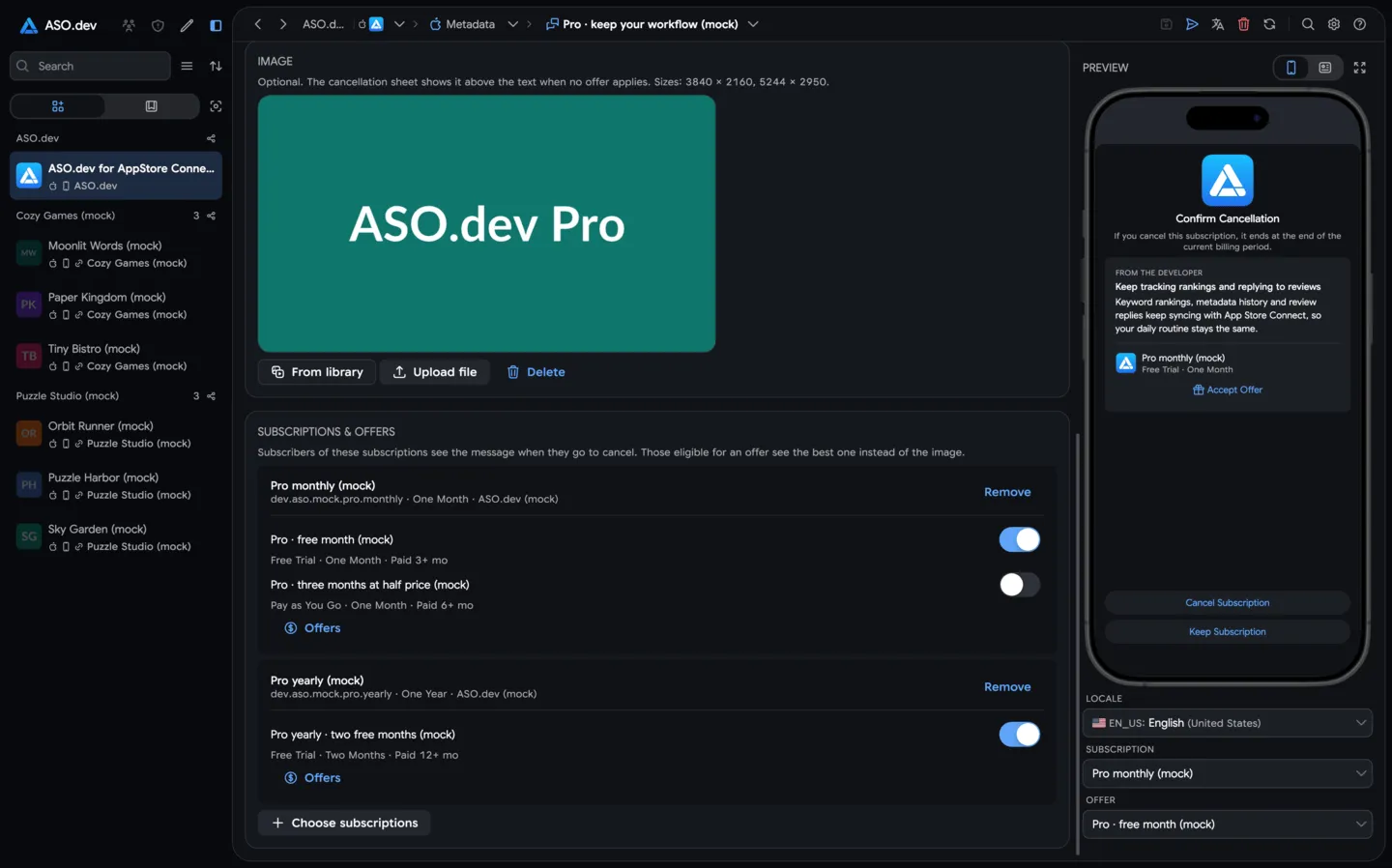
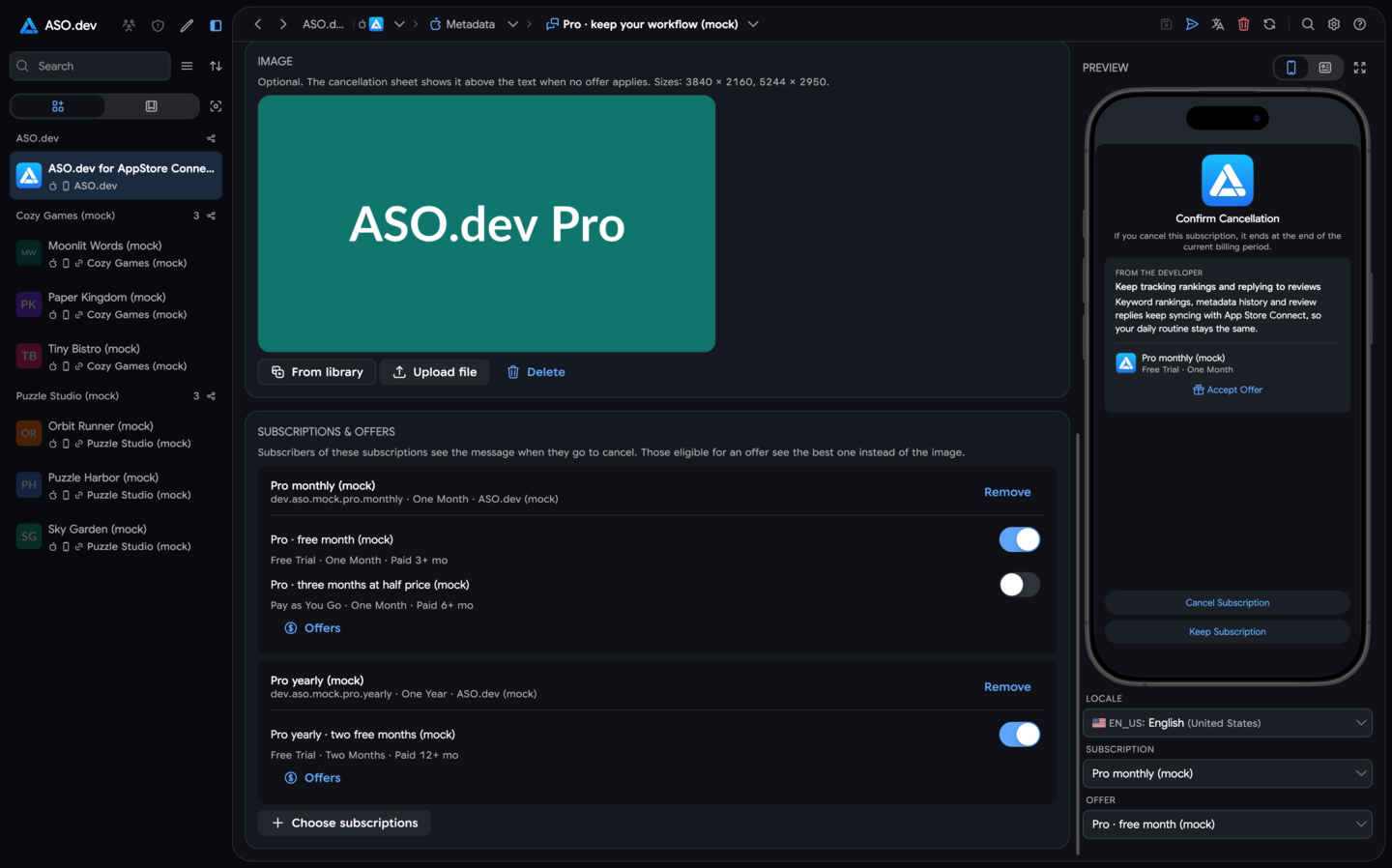
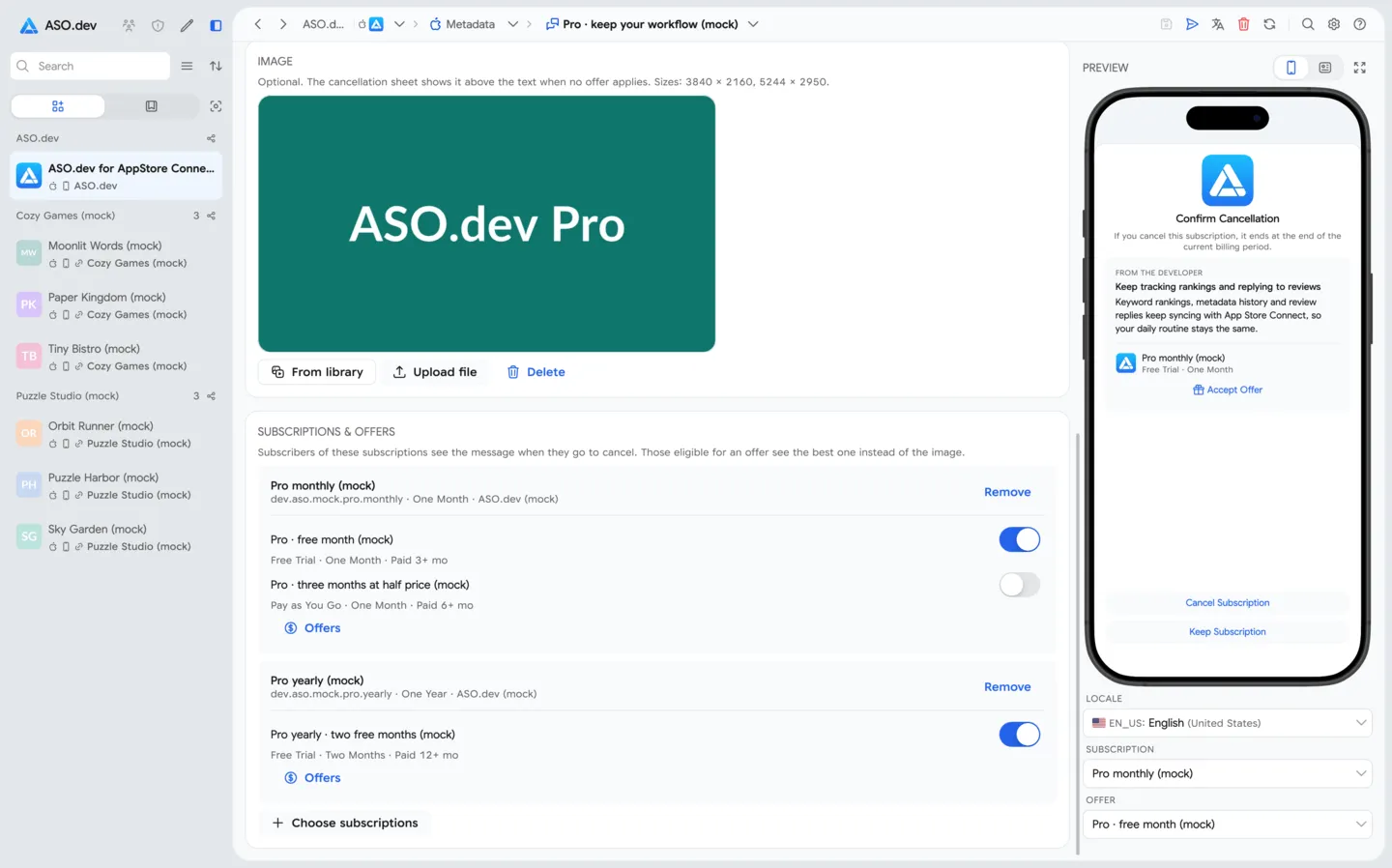
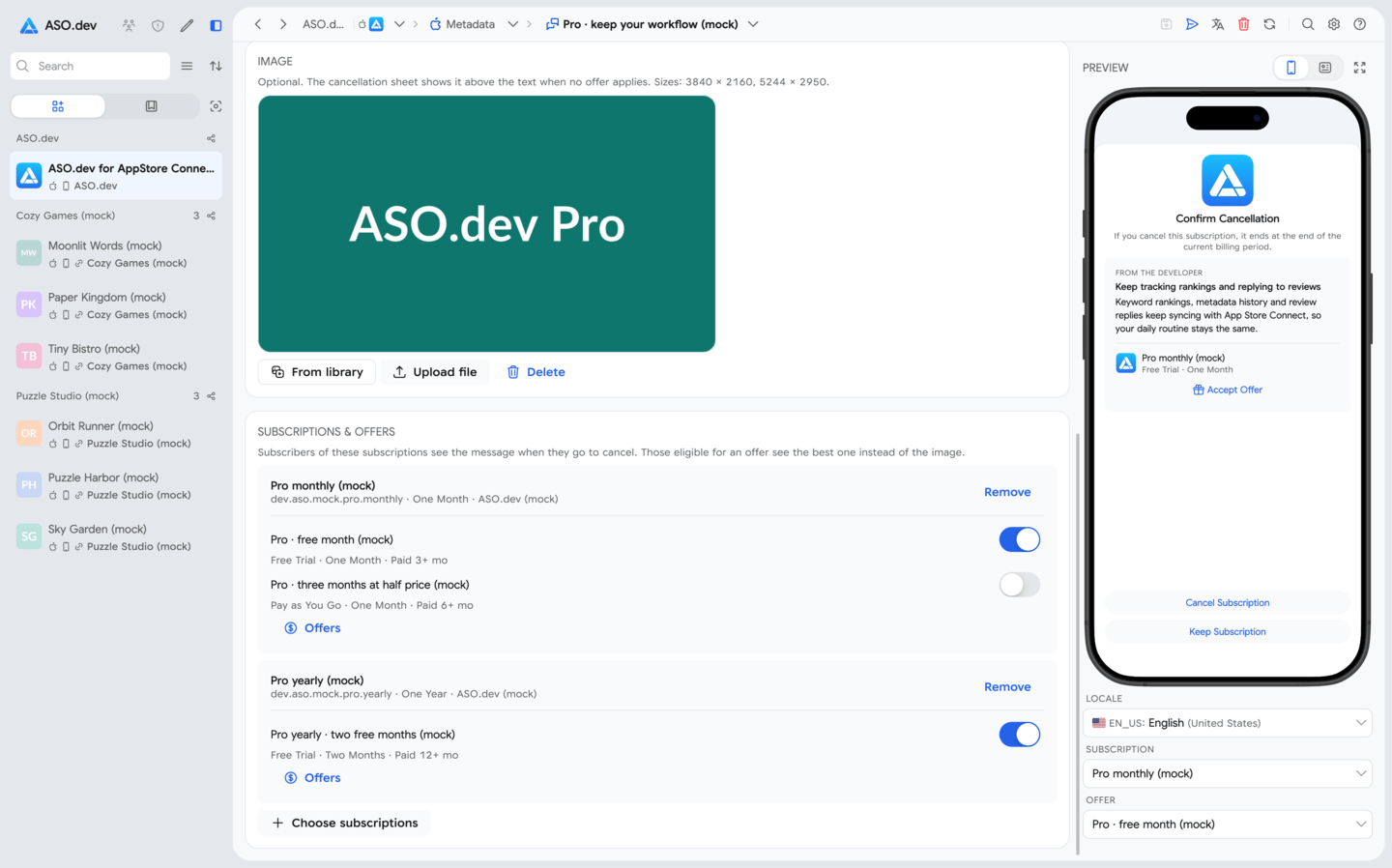
Section titled “What a message contains”Each message has a required header and body, and two optional parts: an image and retention offers. Depending on the setup and the subscriber, the App Store shows one of three views:
| View | When subscribers see it |
|---|---|
| Text only | The message has no image and no offer applies. |
| Text and image | The message has an image, and no offer is associated or the subscriber isn’t eligible for any. |
| Text and offer | At least one offer is associated with the message and the subscriber is eligible. The offer replaces the image. |
If several associated offers are available to a subscriber, the App Store chooses the best one automatically. Retention offers are shown only through a retention message: an offer that isn’t associated with a message never reaches subscribers.
Limits
Section titled “Limits”| Item | Limit |
|---|---|
| Messages per app | 10 |
| Subscriptions per message | Unlimited |
| Messages per subscription | 1 |
| Retention offers per subscription billing plan type | 10 |
| Image | 3840 × 2160 or 5244 × 2950 pixels |
| Reference name | 64 characters, can’t be changed after creation |
| Header / body | 66 / 144 characters (checked by ASO.dev) |
A subscription’s billing plan type is either the standard plan or, for one-year subscriptions, the monthly plan with a 12-month commitment.
Retention offer settings
Section titled “Retention offer settings”Retention offers are created for a subscription, not for a message, so one offer can be reused when you replace or update the message. For each offer you set:
- Reference name and offer identifier. Neither can be changed later. The identifier appears in Sales and Trends reports and in StoreKit transactions.
- Paid subscription duration: how long the subscriber must have paid before the offer becomes available.
- Wait between offers: how long the subscriber waits before getting this offer again. The wait applies to each offer separately, so a subscriber eligible for another offer may get it without waiting.
- Countries or regions where the offer is available.
- Type and price: pay as you go, pay up front or free, with a duration and a price for each country or region.
In ASO.dev, retention offers are created in the subscription’s pricing editor, and the message editor chooses which of them are shown.
Rules App Review applies
Section titled “Rules App Review applies”Header and body must follow the App Review Guidelines and be accurate, relevant and not objectionable. App Review rejects messages that:
- mention promotional offers, discounts or specific prices: “$9.99”, “50% off”, “one month free”. Every subscriber sees the text, including those who aren’t eligible for an offer;
- make coercive claims or unverifiable promises, such as warning that canceling a VPN will lead to a virus infection.
Apple also strongly discourages:
- unverified superlatives such as “the best app”;
- unsupported statistics such as “92% of parents report improved learning”;
- all-caps text and repeated exclamation marks.
Factual statements about what the subscriber loses are allowed, for example “You’ll lose access to downloaded content when your subscription ends.”
Retention messages in your ASO strategy
Section titled “Retention messages in your ASO strategy”ASO usually means the top of the funnel: search impressions, product page views and installs. But whether those installs pay back depends on how long subscribers keep paying. A retention message works at the last step, where the revenue from the whole funnel is lost.
- LTV and paid acquisition. Every saved subscriber renews and raises the average revenue per user. A higher LTV lets you pay more per install in Apple Ads for the same keywords and still break even.
- Continue the product page story. Take the benefits that convert best in your subtitle, promotional text and screenshots, and remind subscribers of them in the message.
- Localizations and countries. Translate the message into the same languages as the product page. Price sensitivity differs by country, so set up offers per country. See Country Tiers in Digital Advertising for how to group countries.
- In-app events. If new content announced through in-app events is coming soon, it is a good reason to stay. Mention it only when the date is confirmed.
- Test without risking rankings. The message appears only in the cancellation flow and isn’t part of the product page metadata, so you can change the copy without risking keyword positions.
Recommendations
Section titled “Recommendations”Write about the value the subscriber keeps
Section titled “Write about the value the subscriber keeps”The subscriber has already decided to cancel, so the message has one or two lines to change their mind. Name the specific things they lose, not the subscription in general.
| Weak | Specific |
|---|---|
| Don’t leave us! | Your 240 saved recipes stay available while you’re subscribed |
| The best meditation app | New guided courses arrive every week |
| Premium features will be disabled | Offline maps and route history turn off at the end of the period |
- Put the main benefit in the header and the details in the body.
- Mention data and progress the subscriber built: saved projects, history, streaks, downloaded content.
- If a feature the subscriber asked for is coming, say what and when, but only if it’s confirmed.
- Use a calm tone. Pressure and fear harm trust and lead to rejections.
Plan messages by subscription
Section titled “Plan messages by subscription”An app can have 10 messages, and each subscription shows one. Use this to match the message to the audience:
- Plans and tiers. A team plan subscriber loses shared access for colleagues; a solo plan subscriber loses personal history. Write separate messages.
- Billing period. A yearly subscriber has paid ahead and may cancel only to turn off auto-renewal; a monthly subscriber may be reacting to the price. Different arguments work for them.
- Seasonal plans. For subscriptions tied to a season or course, a message about the next season or upcoming content works better than a generic one.
Keep the reference name descriptive, for example Yearly · offline content: it can’t be changed, and in ASO.dev it shows in the subscription picker next to each subscription that uses the message.
Use offers selectively
Section titled “Use offers selectively”According to Apple’s WWDC26 session, subscriptions that adopted retention messaging saw an average save rate increase of 1.4 points (an 82% increase), and messages with a promotional offer showed the highest save rate: +5.5 points (a 223% increase). Apple notes that results vary across developers.
An offer is a strong tool, but a discount shown to everyone teaches subscribers to cancel for a better price. To avoid that:
- set the paid subscription duration so the offer reaches subscribers who have already paid for some time;
- set the wait between offers so the same subscriber can’t get the offer on every cancellation;
- associate several offers with the message (for example, a free month for loyal subscribers and a smaller discount for the rest) and let the App Store pick the best one for each subscriber;
- for yearly plans, compare the offer with the loss: a free month on a yearly plan costs less than losing the renewal;
- keep the image for subscribers who don’t get an offer: it is their only visual part of the message.
Localize for every storefront
Section titled “Localize for every storefront”Add a header and a body in the languages of all storefronts where the subscription is sold: Apple asks for localizations for every storefront where the subscription is offered.
- Machine translation is a fast first draft, but check that the meaning and tone survive, especially in short headers.
- Check the length in every language: German and Russian texts are often longer than English.
- Preview the message in each language: lines that fit in one language may wrap in another.
In ASO.dev you can add every missing language of the app at once, translate the texts from the primary language and check each language in the iPhone preview.
Test before release
Section titled “Test before release”- Retention messages can be fully tested in Sandbox: cancel a subscription with a Sandbox tester account.
- Sandbox testers always see the latest version, including drafts that aren’t approved yet, so you can check a new text before sending it for review.
- If the message has a retention offer, check the signed transaction after redeeming it in Sandbox: a retention offer has
offerTypevalue5, andofferIdentifiercontains the identifier of your offer.
Measure and update
Section titled “Measure and update”- Track redemptions by offer identifier in Sales and Trends reports and in StoreKit transactions on your server.
- Compare cancellations and renewals by country before and after you publish a message or change it.
- Change one thing at a time (the header, the image or the offer set) so you know what affected the result.
- Editing an approved message creates a new version that needs App Review. Subscribers keep seeing the approved version in the meantime, and after approval you can’t roll back to a previous version. Keep the texts of earlier versions in your notes.
- Prepare seasonal changes in advance, with time for review.
Review and versions
Section titled “Review and versions”A message can be added for review as soon as it has text; the image and offers can be added before or after the first submission. Statuses:
| Status | Meaning |
|---|---|
| Prepare for Submission | The message is created but not submitted. Texts, image, subscriptions and offers can be changed. |
| Ready for Review | The message is in a review submission that hasn’t been sent yet. |
| Waiting for Review | The submission was sent to App Review. |
| In Review | App Review is reviewing the message. |
| Developer Rejected | You removed the message from the submission before the review. |
| Rejected | App Review didn’t approve the message. Read the feedback, fix the message and resubmit it. |
| Accepted | The message is accepted, but other items of the same submission were rejected. It is approved after every item is accepted. |
| Approved | The message is live and shown to eligible subscribers who try to cancel. |
| Approved with edits pending | The approved version stays live while a new draft is being edited or reviewed. |
The App Store Connect roles that can configure retention messages are Account Holder, Admin, App Manager and Marketing.
Real-time Retention Messaging API
Section titled “Real-time Retention Messaging API”Apple also offers the Retention Messaging API, available by request. With it, the App Store sends a request to your server when a subscriber tries to cancel, and your server chooses the message in real time: a message with an image, a switch to another plan in the same subscription group, or a promotional offer.
- Real-time messaging takes priority over the App Store Connect setup.
- Before production use, your server must pass a performance test in Sandbox.
- If your server doesn’t respond in time or returns an invalid response, the App Store shows the message configured in App Store Connect, including its offers, and then the default messaging set up through the API.
Even if you plan to use the API, configure messages in App Store Connect: they are the fallback when your server can’t respond.
Set up retention messages in ASO.dev
Section titled “Set up retention messages in ASO.dev”Sources
Section titled “Sources”Verified on November 14, 2026:
- Configure retention messages: App Store Connect Help
- Retention message statuses: App Store Connect Help
- Now available: Retention messages for subscriptions: Apple Developer News, November 4, 2026
- Explore Retention Messaging in App Store Connect: WWDC26 session
- Retention Messaging API: Apple Developer Documentation