
Ads Overview
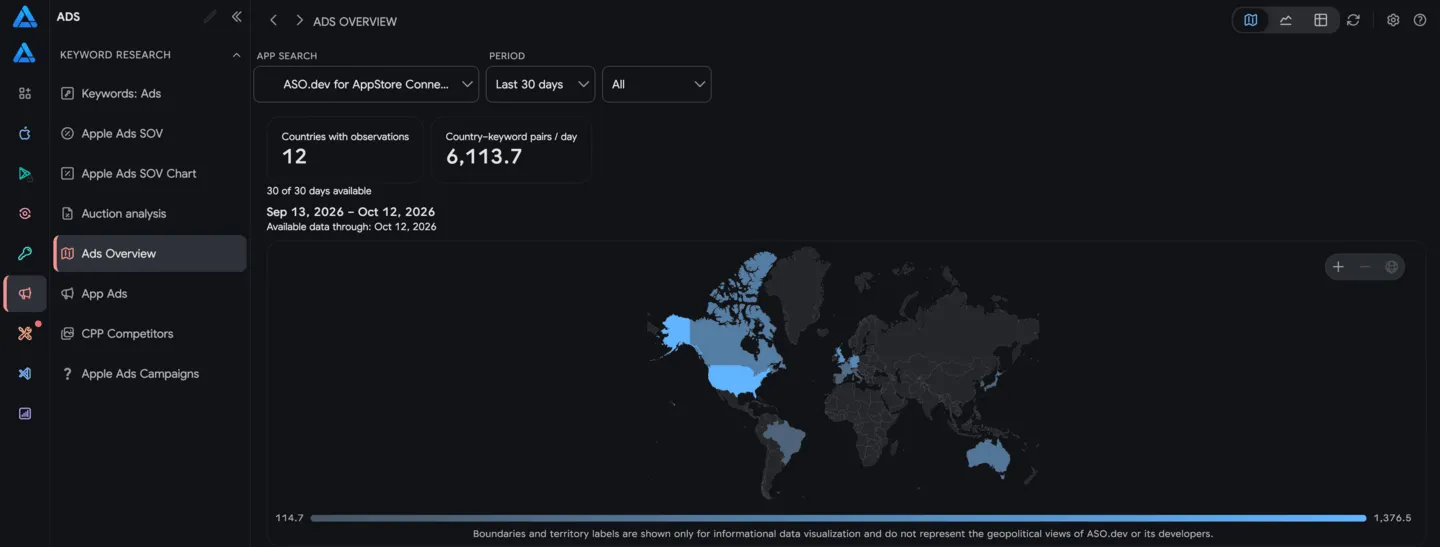
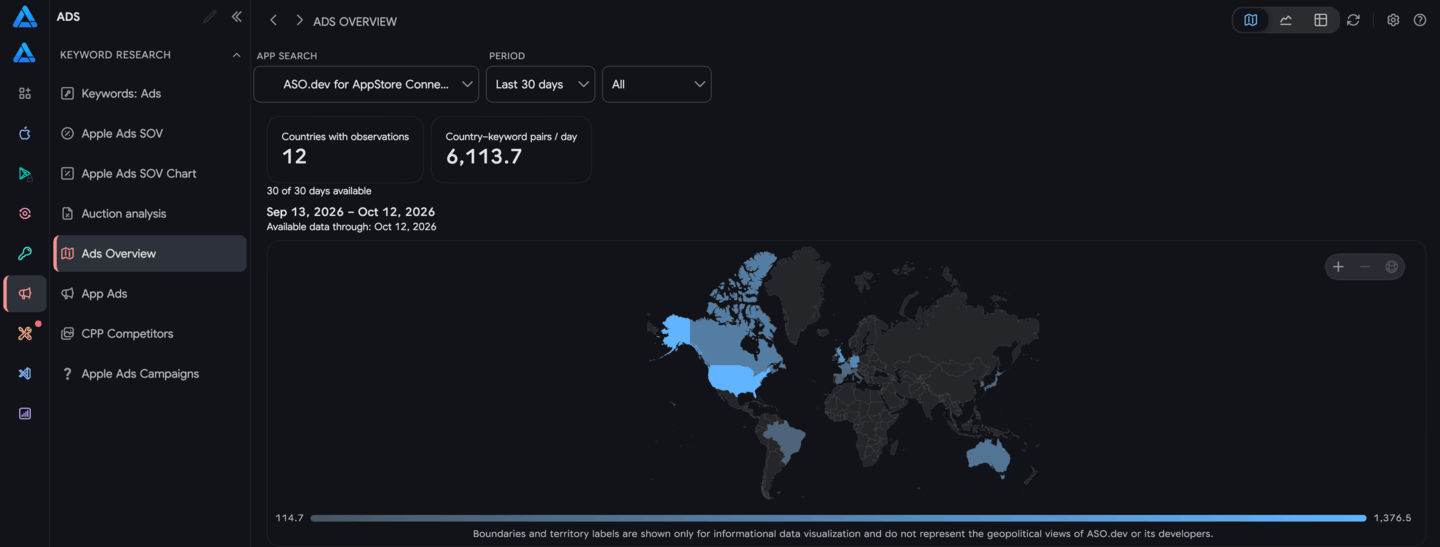
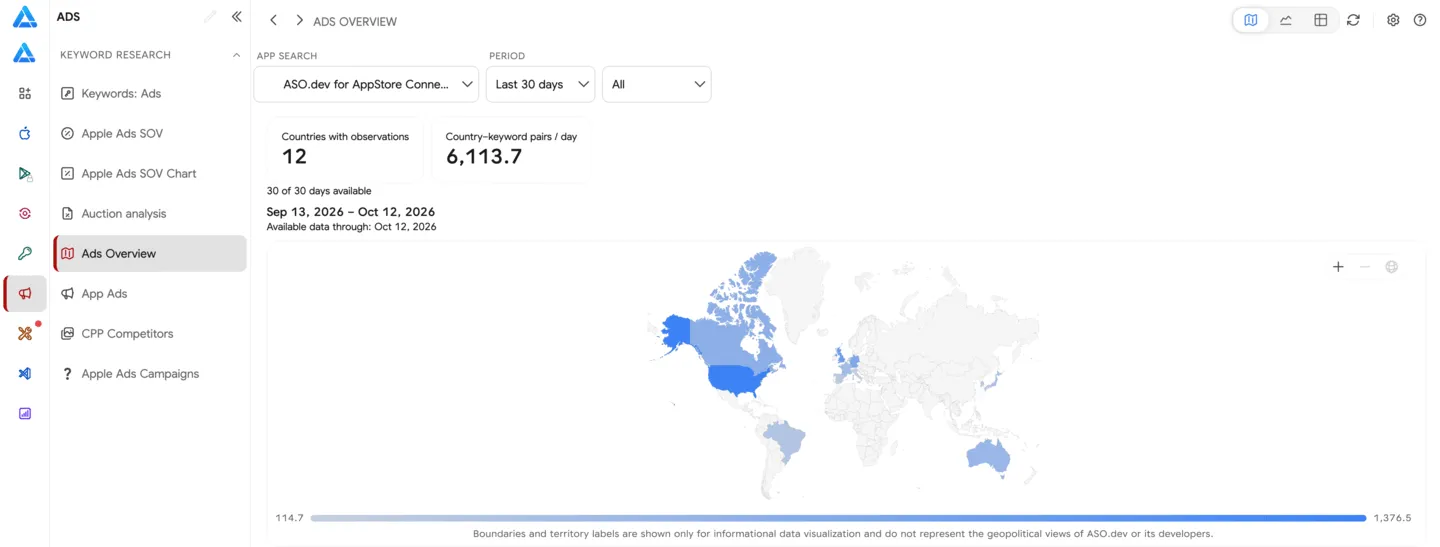
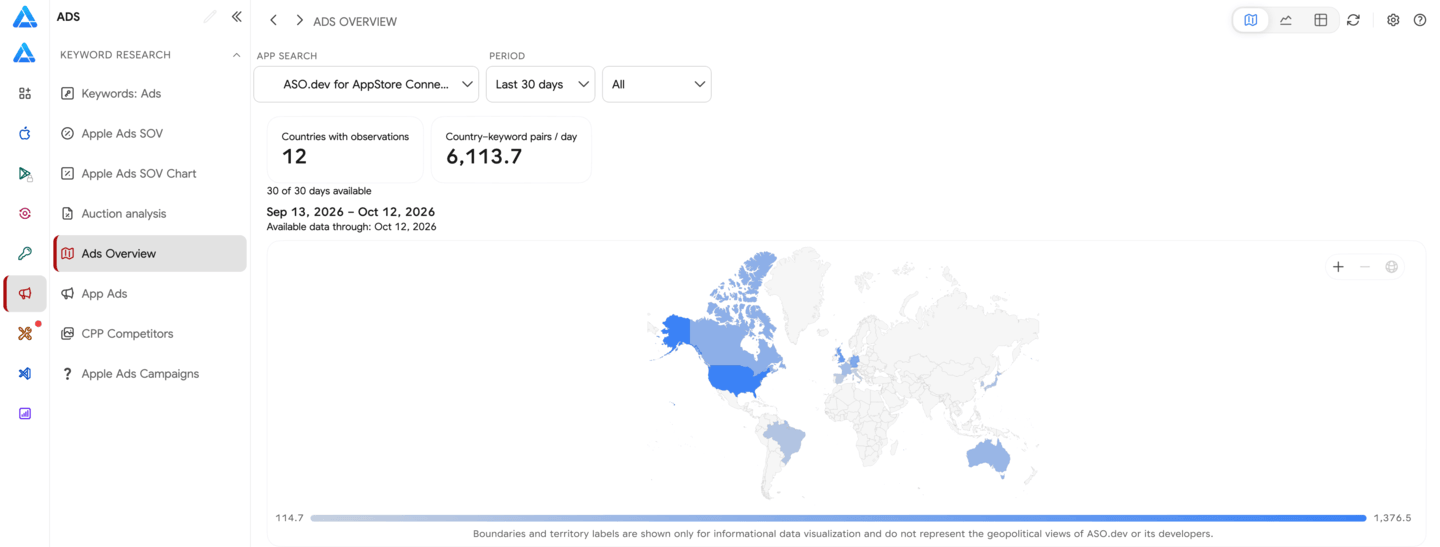
Ads Overview shows where ASO.dev observed ads for a selected app in App Store search results. Use it to compare countries before opening the keyword and creative details in App Ads.
Explore the data
Section titled “Explore the data”Select an app, a period of 7, 30, or 90 completed UTC days, and an ad position: all positions, the first Search Results ad, or the additional ad. Switch between three views in the page header:
- Map: Compare the app’s average daily observed keywords across available countries. Select a country to open its trend.
- Chart: Follow the daily trend for the five leading countries. Selecting a country on the map or double-clicking its table row focuses the chart on that country; clear the selection to see the leading countries again.
- Table: Sort and filter countries, check how many days of data are available, and open App Ads for a country’s keyword and creative details. The app, country, period, and position are carried into App Ads.
How the numbers are calculated
Section titled “How the numbers are calculated”Keywords per day is the average number of unique search queries on which we observed the selected app’s ads in a country. A completed day with no observations counts as zero. A day without available data is excluded from the average.
The summary shows the number of countries with positive observations and the average number of country–keyword pairs per day. Its total uses only dates with data available across all countries; it is not a sum of country averages calculated over different sets of days. The available-day count below the summary shows the size of that shared set.
The table compares each country with the immediately preceding period of equal length. A change is shown only when both periods have complete daily data. If the earlier average is zero, the percentage change is unavailable even when the absolute change can be calculated. A dash means the comparison is unavailable.
The chart shows a seven-calendar-day rolling average, including the date of each point. If any day in that window lacks data, the line has a gap. Point details show the window dates and the observed keyword count for that day.
Changes may reflect advertising activity or a change in the queries ASO.dev covers. These observations do not measure spend, impressions, or whether a campaign is running.